
01
Map the operating record.
Follow a person from hire to leave, and a project from quote to invoice. Find every handoff.
Operations teams were stitching people, pay and projects together across spreadsheets and chat. We built the system we wanted to run instead.
Scope
Product strategy, UX, engineering
Surface
Web application
Status
Built and supported in-house
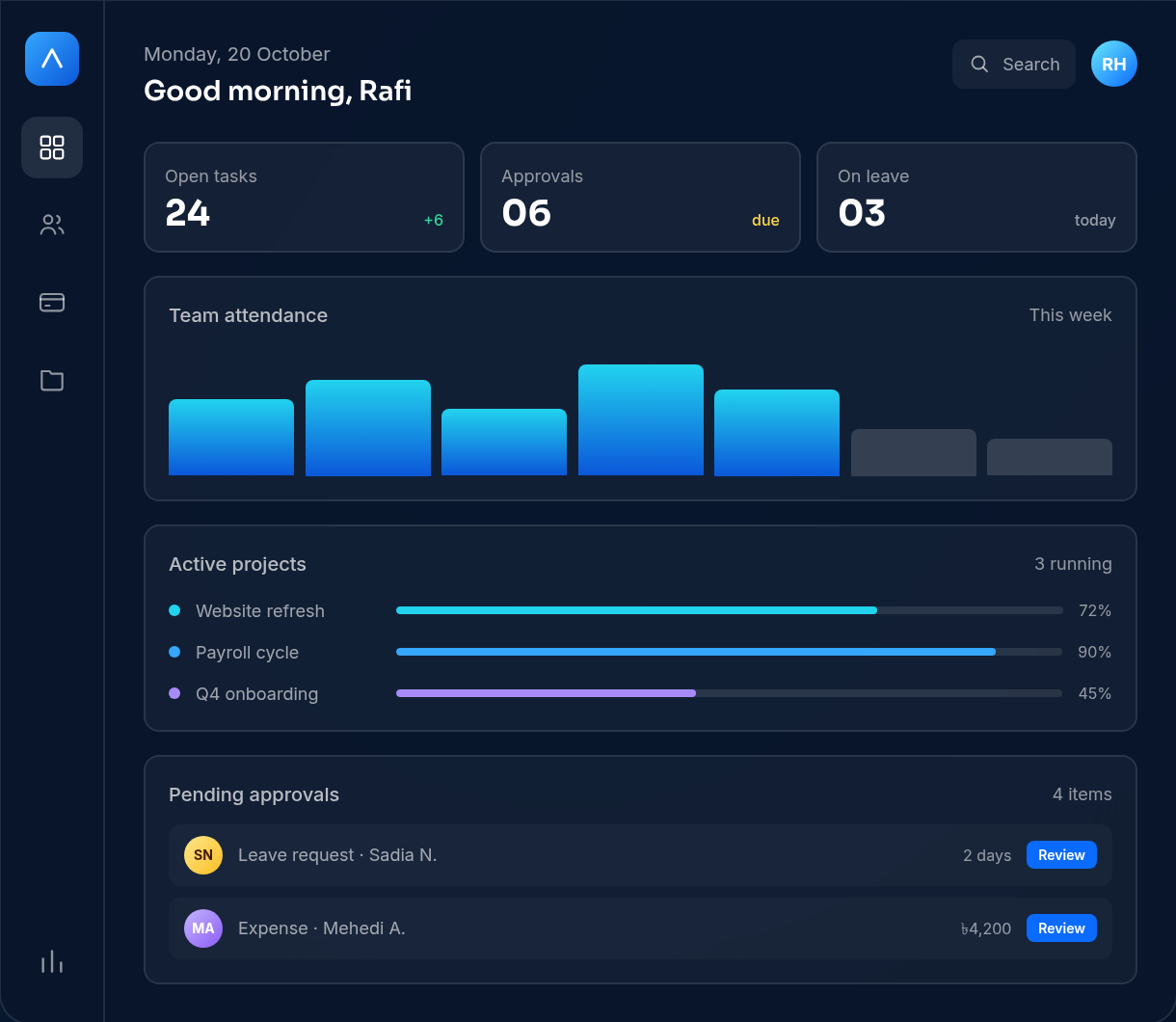
A working view of the operations dashboard.
The problem
A new hire starts in the people file. Their leave request lives in chat. Payroll is rebuilt in a spreadsheet. Project hours sit in another tab. Every handoff is a chance to lose context — or re-enter the same data.
People
Records live in spreadsheets.
Approvals
Requests get lost in chat.
Payroll
The same data is retyped.
Projects
Status lives in someone's head.
“A single change — a new hire, a leave request, a raise — touched four places.”
The approach
The interface is the easy part to see. The hard part is deciding what the system treats as one fact, and what it lets drift.
01
Follow a person from hire to leave, and a project from quote to invoice. Find every handoff.
02
Roles, permissions and audit trails are part of the workflow — not a settings page.
03
People, leave, attendance, payroll, projects and invoicing read from the same record.
04
Import data, configure approvals and keep iterating with the people who use it every day.
What we built
Six connected areas, designed to share the same people and project data instead of passing exports around.
A single people record with documents, reporting lines and role-based access.
Feeds leave, payroll and projects
Requests, approvals and attendance in one calendar, tied to the person record.
Feeds payroll and capacity
Pay runs built from people data, with approvals and a history you can audit.
Reads from people and leave
Boards, ownership, time and progress in the same place as the team.
Connected to people and invoices
Invoices and statuses linked to the project and the people doing the work.
Connected to projects
The week in one view, with a record of who changed what and when.
Built on the audit log
What changed
The point was never to add more screens. It was to remove the places where the same fact has to be entered again.
One source
People, pay and projects read from the same record.
A trail
Every request has an owner, a status and a history.
Less retyping
Changes flow into the pay run instead of being copied across.
Visible work
Progress, time and ownership sit next to the project.
Under the hood
The features people see are supported by permissions, history and deployment choices that keep the system usable as the team grows.
Product
Engineering
Support
Next build story
See it with your workflow
A 30-minute walkthrough with a real workflow from your team — not a generic slide deck.